Recycling

30
Jun
2026

From Server Room to Revenue – A Practical Guide to IT Asset Liquidation

From Server Room to Revenue – A Practical Guide to IT Asset Liquidation Most companies retire IT hardware the same way. They decommission the equipment, stack it in a storage room, and deal with it later instead of prioritizing recycling electronics. Later turns into six months. Six months turns into a year. By the time someone calls a vendor, the secondary market has moved on and the window for real recovery value has closed. That gap between “we need to dispose of this” and “we actually did something about it” is where most organizations lose money. It does not have to work that way. Equip Recycling partners with IT directors, data center managers, and procurement teams to run IT equipment liquidation as a structured process with a defined timeline, documented chain of custody, and measurable outcomes. The difference between doing this right and doing it late is often substantial. Call (866) 966-4574 What IT Equipment Liquidation Actually Is Liquidation means different things depending on who you ask. Some vendors use the term to describe bulk scrap sales at commodity weight. Others use it to describe full remarketing programs with individual asset-level pricing and serialized reporting. Those are very different outcomes. In the context of IT Asset Disposition , liquidation is the systematic recovery of residual market value from retired hardware. The asset classes involved include enterprise servers, rack networking equipment such as routers and switches, storage systems including SAN arrays and NAS devices, workstations, laptops, and mobile endpoints. Liquidation is not recycling. Recycling is what happens to assets with no recoverable resale value. Liquidation comes before that. Treating them as the same thing is one of the most reliable ways to undervalue a retiring hardware inventory. The global data center ITAD market was valued at $13.7 billion in 2024 and is projected to reach $19.1 billion by 2030, growing at a compound annual growth rate of 5.6%. That growth is concentrated in the remarketing and value recovery segment, driven by enterprises that have figured out retired assets still have a second life in secondary markets. “Most organizations treat IT liquidation as a disposal problem. It is actually a recovery opportunity. The companies that engage early, document everything, and work with certified vendors consistently walk away with better financial outcomes and zero compliance exposure.” — Equip Recycling Timing Determines Recovery Value More Than Anything Else Enterprise IT hardware depreciates quickly. Not gradually over a decade. Quickly. Most equipment categories lose a significant portion of market value within two to three years of manufacture. Value then flattens briefly, then drops hard as the manufacturer’s end-of-support date approaches. A two-year-old Dell PowerEdge server retired during a data center consolidation can yield meaningful resale revenue through a qualified ITAD buyer. That same server sitting in a cage for another eighteen months while procurement sorts out approvals may yield almost nothing. The equipment did not change. The market moved past it. This is why the liquidation process needs to begin before decommissioning finishes, not after. Getting a fair market valuation while equipment is still installed and operational gives you real data to work with. It informs the disposition timeline. It gives you leverage in pricing conversations with vendors. Call (866) 966-4574 How a Proper Liquidation Engagement Works A structured IT equipment liquidation follows a clear sequence. Each stage builds on the one before it. Asset inventory and valuation. A qualified ITAD vendor conducts an onsite audit or reviews a submitted asset list, with a focus on identifying electronics waste streams and recovery opportunities. The output is fair market value estimates based on make, model, age, configuration, condition grade, and current secondary market demand for each equipment class. Data sanitization before anything moves. Every storage device gets sanitized according to NIST 800-88 (Revision 1) guidelines before it leaves your physical control. The sanitization method depends on media type. Solid-state drives require cryptographic erase or physical destruction. Spinning hard drives may be handled through overwrite or degaussing, depending on data sensitivity classification. A Certificate of Destruction is issued at the individual asset serial number level. “We will wipe the drives” is not a standard. Ask which NIST 800-88 method applies to which media types before you sign anything. Chain-of-custody documentation. Every transfer of physical custody from pickup through final disposition gets documented. This documentation is your legal protection. If a regulatory audit happens six months after the decommission, your chain-of-custody records are the evidence that demonstrates compliant disposal. Without those records, liability exposure stays open. Logistics and physical removal. Equipment gets palletized, inventoried, photographed, and transported under documented manifest. Large decommissions require coordinating access windows, staging areas, and sequencing so production systems stay online throughout the project. Remarketing and revenue recovery. Assets with secondary market value move through wholesale ITAD channels, qualified refurbishers, or direct buyers. Revenue gets reconciled against disposition costs. Final payment goes back to the client with serialized reporting that documents where each asset went. Responsible downstream processing. Assets that do not meet resale thresholds go to an R2v3-certified recycler. R2v3 is the current Responsible Recycling standard. It requires documented downstream vendor qualification, which means you can verify where materials actually end up rather than accepting verbal assurances. Call (866) 966-4574 Which Assets Carry the Most Recoverable Value Not all retiring hardware liquidates at the same rate. Current secondary market conditions favor these categories: Asset Category Recovery Potential Notes Enterprise servers (1 to 3 years old) High Dell, HPE, and Cisco UCS are strong performers Network switching and routing hardware Medium to High Cisco Catalyst, Juniper, and Arista hold value well GPU compute hardware Very High AI infrastructure demand is driving strong secondary pricing SAN and NAS storage arrays Medium Recovery is configuration-dependent Laptops and workstations Low to Medium Consumer-grade hardware depreciates faster End-of-support equipment Low May yield commodity scrap value only GPU-based compute hardware deserves specific attention right now. The buildout of AI inference and training infrastructure has created sustained secondary market demand for enterprise GPU cards that would have had minimal
26
Jun
2026

How to Vet an ITAD Vendor Before You Hand Over Your Hardware

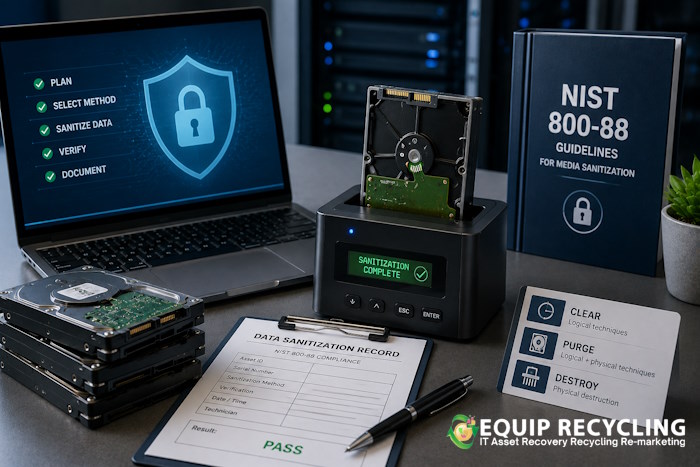
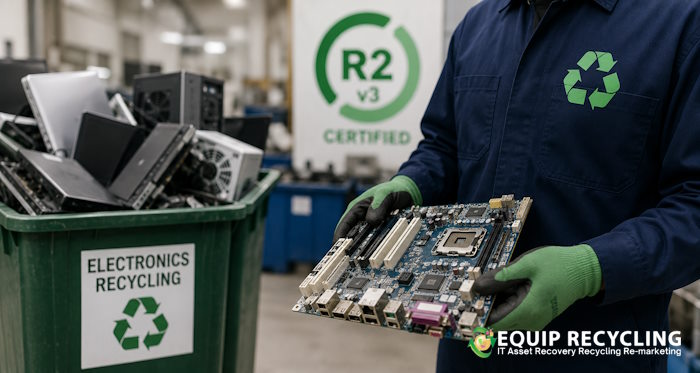
How to Vet an ITAD Vendor Before You Hand Over Your Hardware The call usually comes from legal or compliance when an old audit reveals missing documentation for a batch of drives retired months ago. In many cases, this is where ITAD becomes critical, especially as organizations face tight deadlines for data center refreshes and vendor selection. Either way, the pressure is real, and the stakes are often higher than most realize until they are already dealing with the consequences. Equip Recycling deals with this situation regularly. Organizations that need to retire technology the right way, with documentation that holds up to scrutiny, not just a recycling receipt stapled to a work order. Call (866) 966-4574 What Certification Actually Means for an ITAD Vendor R2v3 Is the Standard Worth Asking About Vendors will tell you they’re “certified.” That word does a lot of work and covers a lot of ground. What matters is which certification, which version, and which facility it covers. R2v3 is the current Responsible Recycling standard. Not R2:2013, not a vague reference to being “R2 compliant.” The v3 version specifically requires vendors to track material through their downstream recycling chain, vet the subcontractors handling that material, and demonstrate environmental health and safety controls across their operation. e-Stewards is a comparable standard with stricter restrictions on hazardous e-waste exports. Ask for a copy of the current certificate. Certifications cover specific facilities, not a company as a whole, and they expire. A vendor with an R2v3 certificate at their Phoenix facility isn’t necessarily operating under those controls at a warehouse in Dallas. ISO 14001 and ISO 27001 are worth noting but don’t substitute for R2v3. NAID AAA certification applies specifically to data destruction operations and matters if secure media sanitization is a central part of what you need. The Difference Between Data Sanitization Methods This is where assumptions get expensive. Overwriting, degaussing, and physical shredding are three distinct methods. They apply to different media types and produce different outcomes. Treating them as interchangeable creates a real compliance gap. NIST 800-88 Rev. 1 is the federal standard for media sanitization. It defines three approaches: Clear (overwriting), Purge (cryptographic erase or degaussing), and Destroy (physical shredding or disintegration). The right method depends on what type of media you’re dealing with and how sensitive the data is. Overwriting works on spinning hard drives when executed correctly. It does not work reliably on SSDs, flash storage, or NVMe drives. Degaussing works on magnetic media and has no effect on solid-state. Physical shredding destroys the asset entirely, which eliminates any possibility of resale or value recovery. Ask your vendor how they handle mixed assets, because a server cage pulled from a live data center will almost certainly contain a mix of HDDs, SSDs, and NVMe drives. If the answer is a single method applied across everything, that’s a technical problem worth pressing on. One more thing: DoD 5220.22-M gets referenced by vendors more than it should. The DoD retired that standard in 2007. Vendors still leading with it as a primary credential are either behind on standards or using the name because clients recognize it. Mention NIST 800-88 in your RFP and see how they respond. Call (866) 966-4574 “The vendors who cut corners on data sanitization documentation are almost never the ones who get caught immediately. The liability shows up months or years later, usually during an audit or an acquisition. By then, the drive is long gone and the paper trail doesn’t exist. That’s when the cost of doing it cheap becomes very clear.” — Equip Recycling Consultant Chain of Custody Is Your Legal Protection What the Documentation Should Actually Cover Chain of custody is the serialized record of every asset from the moment it leaves your facility to the moment it is sanitized or destroyed. Pickup manifests signed by your staff. Asset tagging at collection. Transportation records. Processing logs at the ITAD facility. Final disposition reporting with serial numbers. This documentation is not administrative overhead. It is your organization’s legal protection if a retired drive surfaces later with recoverable data. The question auditors and investigators ask is not whether you used a recycler. It is whether you can prove what happened to each specific asset. A Certificate of Destruction is asset-level documentation. It lists the device by serial number, the sanitization method used, the date, and the certifying technician or facility. A Certificate of Recycling is a different document. It confirms material was processed by a recycler but does not confirm data destruction occurred. Organizations that accept one in place of the other are carrying a compliance gap they may not know about until it matters. According to IBM’s 2024 Cost of a Data Breach Report, the average cost of a data breach reached $4.88 million. Documented chain of custody and certified data destruction are among the more cost-effective controls available to organizations managing hardware retirement at scale. Downstream Vendors and Where Your Equipment Actually Goes R2v3 requires certified vendors to audit their downstream recycling partners. That means the smelters, component processors, and material recovery facilities receiving material from your ITAD vendor should be operating under recognized environmental standards. This is where greenwashing tends to show up in this industry. Ask for the downstream vendor list. Ask what auditing process the vendor conducts. Reputable providers have this documented and will share it. Vendors who say downstream practices are proprietary or who deflect the question are communicating something worth paying attention to. The practical reason this matters: electronics processed in unregulated facilities or improperly exported to developing countries create environmental harm and, in some cases, regulatory liability that traces back to the originating organization. RCRA hazardous waste provisions and state-level e-waste regulations don’t stop at your loading dock. Value Recovery Versus End-of-Life Recycling ITAD and e-waste recycling overlap but they are not the same service. ITAD includes refurbishment, remarketing, and resale of equipment that still holds market value. End-of-life recycling processes material with no viable secondary market. A good ITAD vendor
22
Apr
2026

Earth Day 2026: Responsible Electronics Recycling Starts With a Decision

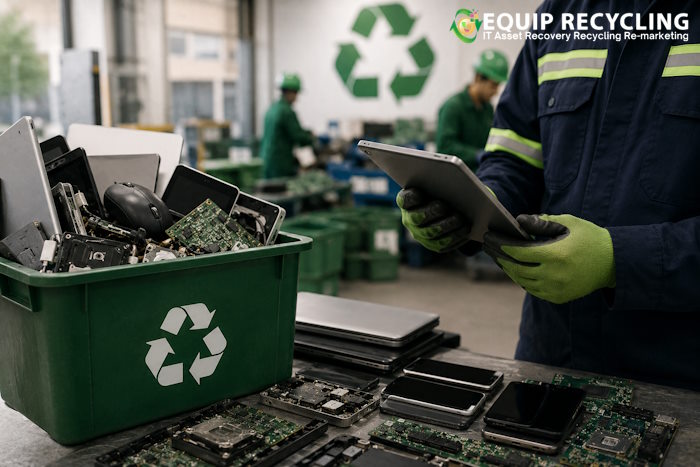
Earth Day 2026: Responsible Electronics Recycling Starts With a Decision Every April 22, Earth Day draws attention to the ways human activity shapes the environment. At Equip Recycling in Macon, Georgia, we think Earth Day is most useful when it moves organizations from awareness to action. This year, we want to focus on something specific: what it actually means for a business, school, or government agency in the Southeast to handle its retired electronics responsibly, and why the difference between certified recycling and general disposal matters more than most people expect. E-Waste Is a Growing Problem With a Clear Solution Electronic devices contain materials that do real environmental damage when they end up in landfills. Lead in circuit boards, mercury in displays, cadmium in batteries, and beryllium in connectors are all hazardous. None of them belong in the ground. At the same time, electronics contain valuable materials, including gold, silver, copper, and rare earth elements, that can be recovered and reused. Proper recycling keeps hazardous materials out of the environment and puts valuable materials back into the supply chain. Both outcomes are worth pursuing. What the Southeast Needs From Its Recyclers Georgia, Florida, and the surrounding states have large and growing economies. Healthcare systems, school districts, government agencies, manufacturing companies, and technology firms all generate significant volumes of end-of-life electronics on a regular schedule. Many of these organizations do not have a clear EWaste recycling services, compliant pathway for handling that equipment. They rely on general waste haulers, donate devices without wiping data, or let retired equipment accumulate in storage rooms until someone deals with it. Equip Recycling provides the structure these organizations need. Free business e-waste pickup removes the logistical barrier. Certified data destruction removes the data security risk. Documented processing removes the compliance uncertainty. Our Certifications Reflect a Real Standard Equip Recycling holds R2v3, ISO 14001, and ISO 45001 certifications. We comply with NIST 800-88, NSA destruction standards, HIPAA, PCI-DSS, DoD requirements, EPA regulations, and FTC guidelines. Our R2 Downstream vendor ensures that data is fully wiped or physically destroyed before any material moves further through the recycling process. Secure transport protocols protect assets from the moment they leave a client’s facility. The clients we serve reflect the breadth of organizations that need this level of accountability. Monroe County, Athens Regional Library System, Forsyth County Schools, Monroe County Sheriff, the US Bankruptcy Court, and Optim Healthcare are among those who have trusted Equip Recycling with their retired electronics. E-Waste Management and Electronics Recycling Benefits Earth Day as a Starting Point Earth Day works best when it leads somewhere. For an organization that has been putting off its e-waste situation, April 22 is a concrete moment to make a decision. The decision does not have to be complicated. Equip Recycling handles the following services for businesses of all sizes: Free electronics pickup from offices, warehouses, and corporate facilities Secure hard drive shredding and physical destruction IT Asset Disposition (ITAD) with 30-day payment terms Data center decommissioning with on-site asset removal and documentation Tailored recycling programs for organizations with regular equipment retirement cycles Every engagement includes the documentation needed to demonstrate compliance and environmental responsibility. Whether this is a one-time cleanout or the start of an ongoing program, the process is straightforward. A Cleaner Environment Requires Consistent Choices Equip Recycling was founded on the belief that reducing landfill waste and encouraging the reuse of valuable technology are top priorities. Earth Day 2026 is a good moment to align your organization’s practices with those values. Schedule a free pickup or request a quote at equiprecycling.com, or call us at (866) 966-4574. We serve Georgia, Florida, North Carolina, Alabama, Tennessee, and Ontario with solutions built for organizations of every size.
20
Nov
2025

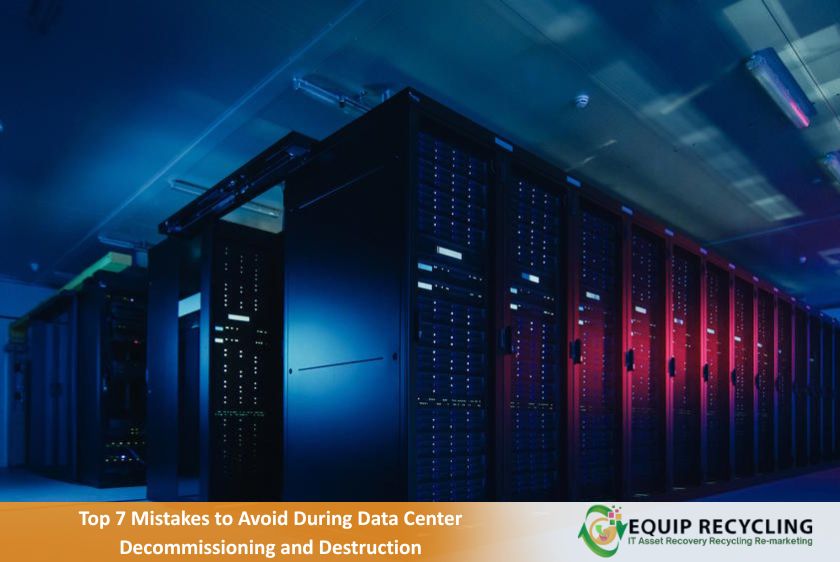
Top 7 Mistakes to Avoid During Data Center Decommissioning and Destruction

Top 7 Mistakes to Avoid During Data Center Decommissioning and Destruction The top 7 mistakes to avoid during data center decommissioning and destruction include skipping asset inventory, using weak data destruction methods, ignoring compliance rules, overlooking network dependencies, rushing data migration, mishandling e-waste, and failing to align stakeholders. These mistakes lead to audit failures, data breaches, environmental fines, and operational breakdowns that are costly to fix and difficult to trace. The 7 mistakes are further discussed below. 1. Incomplete Asset Inventory Skipping a full inventory breaks the chain of accountability. Every server, switch, rack, cable, and storage device must be tagged, logged, and verified before shutdown. Ghost assets, mislabeled hardware, and undocumented upgrades are common in older facilities. Without a validated inventory, it becomes impossible to prove what was destroyed, what was migrated, or what was resold. That gap creates audit risk and operational blind spots. 2. Weak Data Destruction Protocols Software wipes do not meet regulatory standards. NIST 800-88 requires verifiable destruction through physical shredding, degaussing, or cryptographic erasure with audit trails. Many teams rely on unverified tools or outsource destruction without vetting the vendor’s chain of custody. That leaves recoverable fragments behind and opens the door to liability. Destruction must be certified, documented, and traceable. This step is one of the core best practices for IT asset disposal and should never be skipped or simplified. 3. Poor Compliance Mapping Every asset carries regulatory weight. The Health Insurance Portability and Accountability Act (HIPAA), the Gramm-Leach-Bliley Act (GLBA), the Payment Card Industry Data Security Standard (PCI DSS), and the Environmental Protection Agency (EPA) disposal regulations apply depending on the data type, hardware, and disposal method. Treating compliance as a postmortem task is a mistake. Each regulation must be mapped to its relevant asset class before decommissioning begins. Otherwise, the organization risks fines, failed audits, or litigation. 4. Overlooked Network Dependencies Legacy systems often hide critical services. DNS servers, license managers, and authentication nodes can live on forgotten racks. Shutting down without tracing dependencies causes outages that ripple across departments. Before pulling any plug, teams must validate upstream and downstream connections and confirm that no active workloads rely on the retiring gear. This step is often skipped and it always backfires. 5. Rushed Data Migration Not all data should be destroyed. Some must be archived, migrated, or handed off to new systems. Teams often forget this until the last minute and rush to move terabytes under pressure. That leads to corrupted files, broken permissions, and lost access. A proper migration plan includes format validation, access control mapping, and post-transfer integrity checks. 6. Improper Environmental and E-Waste Handling Old servers contain hazardous materials such as lead, mercury, flame retardants, and lithium batteries. Dumping them violates EPA standards and triggers fines. Many teams treat disposal as a logistics task instead of a compliance issue. Certified e-waste vendors must be used. Disposal records must be retained. 7. Misaligned Stakeholder Coordination Decommissioning affects legal, compliance, finance, and operations, not just IT. Many teams operate in isolation and assume others will catch up. Stakeholders must be looped in early with clear timelines, risk disclosures, and escalation paths. Otherwise, decisions get reversed midstream or approvals are delayed. Data center decommissioning carries legal, operational, and environmental risks that cannot be managed through informal checklists or last-minute decisions. These seven most critical mistakes are preventable with structured planning and certified execution. Teams that document each step, validate assumptions, and coordinate across departments reduce exposure and preserve institutional control.
4
Nov
2025

7 Easy Ways to Improve Your IT Asset Disposition (ITAD) Program

7 Easy Ways to Improve Your IT Asset Disposition (ITAD) Program A weak IT asset disposition (ITAD) program exposes your organization to serious risk. Data leaks, compliance failures, and lost recovery value are common outcomes when ITAD is treated as an afterthought. Devices pile up in storage, chain-of-custody breaks go untracked, and vendors operate without oversight. These gaps do more than waste money. They damage trust, invite regulatory attention, and slow down operations. A strong ITAD program prevents those issues. It protects sensitive data, recovers value from retired assets, and proves your organization takes accountability seriously. To secure your IT asset disposal, you need structure, visibility, and consistent execution. Here are seven ways to improve your ITAD program without adding unnecessary complexity. 1. Write a Real ITAD Policy, Not a Placeholder A good ITAD policy is specific. It defines what counts as an asset, who approves disposition, how data is wiped, and what happens when vendors fail to show up. It should include chain-of-custody steps, vendor selection criteria, and fallback procedures. This document becomes your internal playbook and your external defense during audits. 2. Sort Assets by Risk and Value Not every device deserves the same treatment. A retired server with sensitive data is not in the same category as a broken mouse. Group assets into risk tiers. Estimate resale or recycling value. This helps prioritize secure handling and recovery efforts. It also supports better budgeting and aligns with compliance requirements like NIST 800-88. 3. Track Every Asset with a Unique ID Spreadsheets are not enough. Assign a serial ID to each asset and track it from pickup to final disposition. Use systems that log timestamps, location changes, and vendor handoffs. This protects against loss and misreporting. It also simplifies compliance reporting and gives you a clear audit trail when regulators ask questions. 4. Choose Vendors Who Show Their Work Do not take a vendor’s word for it. Ask for certifications like Responsible Recycling version 3 (R2v3), e-Stewards, or National Association for Information Destruction AAA Certification (NAID AAA). Request sample audit reports and downstream partner lists. A reliable vendor will show you how they handle data destruction, recycling, and non-recoverable waste. If they hesitate, move on. Your liability does not end when the truck leaves your facility. 5. Automate the Boring Stuff Manual scheduling and asset tagging waste time. Use asset management tools that integrate with your ITAD process. These platforms can flag devices nearing end-of-life, auto-generate pickup requests, and sync with vendor systems. Automation reduces delays and ensures nothing slips through the cracks. It also improves coordination between IT, compliance, and facilities teams. 6. Make ITAD Part of Offboarding When employees leave, their devices often get lost in the shuffle. Add ITAD to your offboarding checklist. Require device return, log condition, and trigger disposition steps. For remote workers, offer prepaid return kits or local drop-off options. This closes the loop quickly and protects against data exposure. 7. Audit Your Program Every Quarter Do not wait for something to go wrong. Review your ITAD program every three months. Track metrics like recovery rate, data destruction verification, vendor compliance, and incident reports. Use these reviews to update policies, renegotiate contracts, and fix weak spots. Regular audits keep your program aligned with business needs and regulatory changes. A strong ITAD program protects data, reduces liability, and recovers value from retired assets. The seven improvements outlined in this guide include clear policy, asset classification, serialized tracking, vendor verification, automation, offboarding integration, and quarterly audits. Together, these steps build a system that is secure, efficient, and accountable.
4
Oct
2025

Best Practices for IT Asset Disposal During Data Center Decommissioning

Best Practices for IT Asset Disposal During Data Center Decommissioning When a data center shuts down, the disposal of IT assets becomes a critical phase. These assets contain sensitive data, proprietary configurations, and compliance obligations that persist beyond their operational use. Organizations that treat disposal as a routine cleanup often face consequences later, including fines, breaches, or reputational damage. Disposing of IT assets properly during decommissioning protects more than infrastructure. It safeguards data, supports compliance, and preserves trust. Below are the best practices for IT asset disposal during data center decommissioning. Begin with a Verified Inventory Before disconnecting any equipment, document every asset. Include servers, switches, storage arrays, backup tapes, and rack-mounted accessories. Each item should be tagged with its serial number, asset ID, and current status. This inventory provides accountability. It supports insurance claims, tracks chain-of-custody, and ensures no device is overlooked. A verified list also helps teams coordinate disposal decisions with legal and compliance departments. Classify Assets by Risk and Value Not all equipment carries the same exposure. A retired firewall may contain sensitive configurations. A storage array might hold archived financial records. Even a printer can retain cached documents. Classify assets based on the type of data they store, their resale potential, and their regulatory risk. This allows teams to prioritize secure destruction for high-risk items and reuse or resale for low-risk ones. Use Certified Data Destruction Methods Deleting files or reformatting drives does not eliminate data. It only hides it from a casual view. For true protection, organizations must use certified destruction methods. The certified data destruction methods are listed below. Degaussing – neutralizing magnetic fields to render data unreadable Shredding – destroying drives and tapes physically Overwriting – using software to write random data across the entire drive multiple times Each method should be documented with a certificate of destruction. This certificate proves compliance and protects the organization during audits or legal reviews. Secure the Chain-of-Custody From the moment an asset leaves the rack to the moment it is destroyed or resold, its journey must be tracked. That means logging who handled it, where it was stored, and how it was transported. Chain-of-custody failures often lead to data leaks. A misplaced drive or an unverified handoff can expose sensitive information. To prevent this, use tamper-proof containers, GPS-tracked transport, and verified handoffs. Work with a Trusted Disposal Vendor Disposal vendors vary widely in quality. Some offer full transparency. Others outsource destruction to third parties with limited oversight. Choose a vendor that specializes in secure IT asset disposition and provides detailed reporting. Look for certifications like R2, e-Stewards, or NAID. These indicate that the vendor meets industry standards for environmental safety and data protection. A reliable partner will provide secure asset disposal, including data center decommissioning services, to ensure complete data destruction and asset tracking for maximum security. Document Every Step Documentation protects the organization from liability and proves that disposal was handled securely and responsibly. It supports audits, satisfies compliance requirements, and reinforces internal accountability. Without it, even well-executed disposal can appear sloppy or incomplete. Missing records create gaps in the chain-of-custody, weaken legal defenses, and leave teams scrambling during investigations or insurance claims. Organizations must record each stage of the disposal process. That includes logging asset inventories, classifying risk levels, verifying destruction, and tracking movement from rack to final disposition. These records should be centralized, timestamped, and accessible to compliance and security teams. The following documents form the backbone of a defensible disposal process. Inventory logs that confirm which assets were decommissioned and when Risk classifications that show how each item was assessed before disposal Destruction certificates that verify secure data elimination methods Chain-of-custody records that track asset movement from rack to final disposition Final disposition reports that detail how each asset was recycled, resold, or destroyed This documentation protects the organization from liability and supports internal audits. It also helps teams refine future decommissioning processes. Avoid These Common Pitfalls Rushed decommissioning rarely ends clean. Budget pressure, tight timelines, and project fatigue push teams to skip steps that seem minor but carry major consequences. A single overlooked drive, an undocumented handoff, or a vague disposal report can trigger compliance failures months later. These are not just technical errors. They are operational blind spots that compound over time. The most common mistake is treating disposal like a cleanup task instead of a compliance event. IT teams unplug hardware. Facilities haul it away. No one confirms what was destroyed, what was resold, or what still holds sensitive data. That gap becomes a liability the moment auditors ask for documentation or regulators investigate a breach. To avoid these outcomes, teams must study the most frequent mistakes to avoid during decommissioning. These include skipping inventory verification, failing to classify assets by risk, and relying on uncertified vendors for data destruction. Each misstep introduces exposure that could have been prevented with a structured plan. Disposing of IT assets during data center shutdowns requires more than unplugging hardware. It demands verified destruction, secure tracking, and documented closure. When done right, it protects data, preserves trust, and leaves no loose ends.
23
Sep
2025

3 Major Problems Caused by E-Waste in the Medical Industry

Here is one of those recycling tips for the office that immediately helps employees collect and recycle a particular material right way, instead of recycling bins at each person’s desk
18
Sep
2025

Top Benefits for Businesses from Smarter E-Waste Management and Electronics Recycling

Paper coffee cups are actually lined plastic, making them a more difficult to recycle in most cases, when two materials, such as paper and plastic, are adhered together in a product
12
Sep
2025

Why Medical and Dental Practices Need Secure e-Waste Recycling

Every medical and dental practice depends on technology. Patient records are stored on computers, imaging equipment is used for diagnostics, and tablets assist with intake and scheduling. Over time, these devices reach the end of their useful life. Disposal is more than a logistical task. It is a compliance-sensitive decision with legal, financial, and environmental consequences. Outdated electronics contain sensitive data, hazardous materials, and recoverable components. Tossing them into the trash is inefficient and risky. Certified recycling provides a better path that protects your patients, your practice, and your reputation. What Are the Legal and Regulatory Risks of Improper E-Waste Disposal Improper disposal of electronic devices can result in serious legal consequences for medical and dental practices. Violations of the Health Insurance Portability and Accountability Act (HIPAA) may occur if patient data is exposed due to improper data destruction. This can lead to fines ranging from $100 to $50,000 per violation, with a maximum annual penalty of $1.5 million. Data breaches resulting from discarded devices can also trigger investigations by the Office for Civil Rights (OCR), lawsuits from affected patients, and mandatory breach notifications that damage your reputation. Non-compliance with local and federal e-waste regulations, such as the Resource Conservation and Recovery Act (RCRA) and state-specific laws, can result in environmental fines, enforcement actions, and public scrutiny. Certified recycling ensures that your practice remains compliant with all applicable laws by providing documented data destruction, environmentally responsible processing, and transparent reporting. Why Responsible E-Waste Disposal Matters Responsible e-waste disposal matters because every retired device carries risk and opportunity, depending on how it’s handled. When disposal routines are built with intention, they support security, sustainability, and operational efficiency. The points below outline the key reasons why responsible recycling should be part of your practice’s core strategy. Protecting Patient Data – Retired devices often retain fragments of patient information, even after deletion. Without secure data destruction, these remnants can be recovered, exposing your practice to HIPAA violations and legal liability. Certified recyclers sanitize or destroy storage media according to industry standards, ensuring that no data leaves your facility vulnerable. Demonstrating Environmental Responsibility – Medical and dental offices generate more e-waste than most realize. Monitors, sterilization equipment, and other devices contain plastics, metals, and chemicals that do not belong in landfills. Recycling ensures these materials are recovered, reused, or safely processed. This minimizes your footprint and reinforces your commitment to public health. Improving Operational Clarity – Defined recycling routines eliminate guesswork for staff and reduce clutter in storage areas. Clear protocols streamline decision-making and reinforce internal compliance. Recovering Financial Value – Some devices still hold resale or recovery value. Certified recyclers may offer rebates or buyback options for eligible equipment. Even when resale is not possible, proper recycling can reduce disposal costs and simplify asset tracking. Reinforcing Your Brand – Responsible disposal practices reflect your commitment to sustainability and compliance. Sharing these efforts with patients builds trust and strengthens your reputation. How Do You Integrate Recycling Into Daily Operations? To integrate recycling into daily operations, your practice needs more than a one-time cleanup. It requires a repeatable system that fits into everyday workflows and supports compliance, efficiency, and accountability. The steps below outline how to build a reliable and effective recycling routine for your medical or dental practice. Establish written protocols – Define what qualifies as e-waste, how it should be handled, and who is responsible for each step. Designate recycling stations – Set up clearly labeled stations in accessible areas for different types of devices and components. Ensure they are regularly maintained and monitored. Train your staff – Conduct training sessions to explain the importance of secure and compliant disposal. Reinforce practices through refreshers and visual reminders like posters or checklists. Integrate into lifecycle management – Include disposal planning during procurement and upgrade decisions. Track retired devices using asset management tools and coordinate with certified recyclers for timely pickup and documentation. Reinforce through routine – Embed recycling into daily workflows to reduce risk, improve efficiency, and demonstrate your commitment to sustainability and compliance. What Should You Look for in a Recycling Partner? Choosing the right recycling partner is essential to ensure your practice remains compliant, secure, and environmentally responsible. The checklist below outlines key qualities to look for when selecting a recycling partner for your medical or dental practice: Healthcare specialization – Choose a provider familiar with the unique compliance and data security needs of medical and dental offices. Certified data destruction – Ensure the recycler uses industry-standard methods to sanitize or destroy storage media and provides documentation for each device processed. Environmental certifications – Look for certifications such as R2 (Responsible Recycling) or e-Stewards that confirm environmentally sound practices. Transparent reporting – A reliable partner should offer detailed reports on what was recycled, how it was processed, and confirmation of data destruction. Secure logistics – Verify that the recycler offers secure pickup, transport, and chain-of-custody procedures to protect sensitive equipment. Flexible service options – Consider whether the provider offers on-site pickup, drop-off locations, or mail-in programs that suit your practice’s workflow. Asset tracking and documentation – Look for systems that track devices from pickup to final processing, helping you maintain records for audits and compliance. Rebate or buyback programs – Some recyclers offer financial incentives for eligible equipment, helping offset disposal costs. Customer support and responsiveness – Choose a partner who communicates clearly, responds promptly, and is willing to tailor services to your needs. What Devices in Medical and Dental Practices Qualify as E-Waste? The devices in medical and dental practices that qualify as e-waste are those that contain electronic components, store sensitive data, or pose environmental risks when discarded improperly. These devices often reach the end of their useful life due to upgrades, wear, or changes in technology. The list below outlines common device categories that should be prioritized for certified recycling. Data storage and processing – Desktop computers, laptops, tablets, external drives, backup systems Imaging and diagnostics – Radiology-grade monitors, intraoral cameras, digital X-ray displays Peripheral and support equipment
6
Sep
2025

Secure Data Destruction in the Film Industry

  Studios face increasing pressure to protect unreleased content, confidential contracts, and internal communications. While cybersecurity often dominates the conversation, physical asset disposal remains a critical blind spot. Scripts, raw footage, CGI assets, and production notes frequently persist on drives, tapes, and paper long after a project wraps. Without a structured destruction protocol, these assets become liabilities. Studios manage more than just creative assets. Sensitive metadata such as actor payment schedules, licensing terms, location agreements, and vendor credentials circulate across departments. These documents routinely pass through legal, editorial, VFX, and marketing teams before final archiving. Without structured oversight, they introduce exposure risks across internal workflows and external collaborators. What a Breach Actually Looks Like Data breaches in media production rarely begin with external hacking. Most originate from overlooked physical assets, weak access controls, or mishandled legacy media. The examples below illustrate how real-world incidents have exposed unreleased content, personal data, and production workflows due to operational lapses. Sony Pictures Hack (2014) – Attackers stole over 100 terabytes of data, including unreleased films, internal emails, and employee records. The breach disrupted productions, exposed sensitive communications, and led to international political fallout. Disney Internal Slack Breach (2024) – A hacker group called Nullbulge leaked over 1 terabyte of internal communications from Disney’s Slack channels. The breach exposed artist contracts, private messages, and phone records, causing widespread concern across Marvel Studios, Hulu, and Disney+ operations. HBO “Game of Thrones” Leak (2017) – Hackers accessed HBO’s servers and released unaired episodes, cast contact details, and internal planning documents. The breach disrupted release schedules and revealed vulnerabilities in vendor access and digital asset control. Netflix “The Witcher” Script Leak (2020) – Early drafts of Season 2 scripts were found in a discarded production binder and leaked online. The incident highlighted the risks of physical document mishandling during location shoots and third-party transitions. These breaches compromise intellectual property, violate NDAs, and trigger costly delays or legal exposure. Unlike digital threats, they bypass firewalls entirely and often go unnoticed until damage is done. Why Data Destruction Must Be Operationalized Modern productions rely on decentralized workflows, cloud collaboration, and external vendors. This increases the volume and velocity of sensitive data moving across devices and locations. As a result, studios must treat data destruction as part of their operational lifecycle and not just a final step. Destruction protocols must be mapped to each phase of production are listed below. Pre-production: casting documents, location permits, budgeting spreadsheets Production: camera drives, audio backups, continuity notes Post-production: editing timelines, VFX assets, ADR recordings Distribution and marketing: embargoed trailers, press kits, licensing metadata Effective destruction protocols should include the following. Bit-level overwriting of digital storage using certified software Degaussing to neutralize magnetic media Physical shredding or stake punching for irreversible disposal DoD- and NSA-compliant shredding for paper-based records Chain-of-custody documentation and destruction certificates for audit readiness These routines ensure that deprecated assets do not linger in storage, transit, or vendor custody. They also provide traceable proof that destruction meets industry and regulatory standards. Studios must also consider contractual obligations. Many vendor agreements and talent contracts include clauses requiring secure disposal of sensitive materials. Failure to comply can result in breach of contract, reputational damage, and loss of future partnerships. Studios that integrate destruction protocols into their production lifecycle reduce exposure, protect creative assets, and maintain stakeholder trust. Equip Recycling provides certified data destruction services aligned with these operational needs.