In your City, we only do pickups from Commercial Businesses.
Click here to lookup the nearest BestBuy.com location or Staples.com location for Easy Dropoff.
Graphics Processing Units (GPUs) have come a long way from being used mainly for gaming visuals. Today, they power everything from artificial intelligence and data analytics to cloud computing and advanced simulations.
In modern computer systems, GPUs work alongside CPUs to handle demanding tasks that require speed and efficiency. Whether you’re managing IT infrastructure, creating digital content, or running data-heavy applications, understanding how GPUs work can help you make smarter technology decisions.
A GPU, or Graphics Processing Unit, is a type of computer hardware component and a specialized processor designed to handle large volumes of calculations at the same time. Unlike a CPU, which focuses on a wide range of tasks, a GPU is built to process many similar operations simultaneously.
This design makes GPUs especially effective for tasks that involve repeating the same calculations across large datasets, such as rendering images, training AI models, or processing video.
Originally developed for graphics rendering, GPUs are now widely used in areas like machine learning, scientific computing, and data processing. Companies like Nvidia helped expand GPU capabilities beyond graphics by enabling developers to use them for general computing tasks.
GPUs are designed for parallel processing, meaning they can perform thousands or even millions of calculations at once. Instead of relying on a few powerful cores like a CPU, a GPU uses many smaller cores working together.
When a task is sent to the GPU, it is divided into smaller pieces. Each piece is handled by a separate thread, allowing the GPU to process large workloads quickly and efficiently.
This approach works best when:
However, GPUs are less effective for tasks that require step-by-step processing or complex decision-making.
Although both are processors, GPUs and CPUs serve different roles.
A CPU is responsible for:
A GPU is designed to:
In most systems, the CPU manages overall operations, while the GPU handles performance-intensive workloads. This combination allows computers to run efficiently and handle complex applications.
Most modern applications rely on both processors working together.
The CPU handles system control, task coordination, and input/output operations, while the GPU focuses on heavy computational work like rendering visuals, running AI models, or processing large datasets.
This division of labor improves both performance and efficiency, making it possible to run demanding applications smoothly.
There are several types of GPUs, each designed for different use cases.
Integrated GPUs are built into the same chip as the CPU and share system memory.
They are commonly used for:
They are energy-efficient but have limited performance compared to dedicated GPUs.
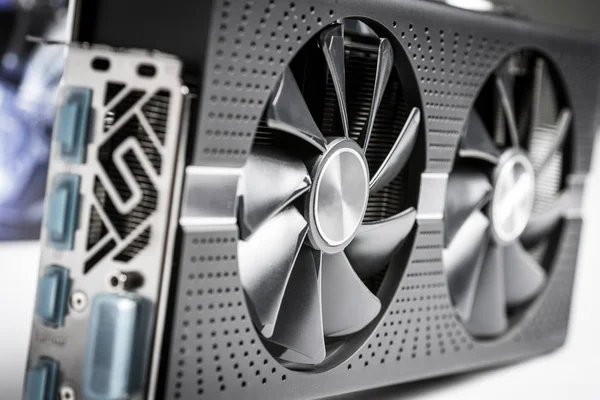
Discrete GPUs are separate components, typically installed as part of a graphics card. They come with their own memory, cooling, and power systems.
They are ideal for:
These GPUs offer significantly more power but require more energy and cooling.
Workstation GPUs are designed for professional environments that require stability and precision.
They are commonly used in:
These GPUs often come with specialized drivers and reliability features.
Data center GPUs are built for large-scale computing environments. They are commonly used in servers and cloud platforms.
They support:
Many organizations access these GPUs through cloud providers instead of owning physical hardware.
External GPUs are housed in separate enclosures and connected to laptops or desktops.
They are useful for:
However, performance may be limited by connection speeds.
Virtual GPUs allow multiple users or systems to share GPU resources, often in cloud or enterprise environments.
They enable:
The terms are often used interchangeably, but they are not the same.
A GPU is the processor itself.
A graphics card is the full hardware unit that includes:
When you replace a graphics card, you are replacing the entire unit, not just the GPU.
GPUs are used across a wide range of industries and applications.
They render images, lighting, and effects in real time, making modern gaming and visual experiences possible.
Used in animation, architecture, and product design to speed up rendering and improve workflow.
Help process video playback, apply effects, and handle encoding efficiently.
Used in simulations, research, and data modeling for faster results.
Accelerate processing of large datasets and complex calculations.
Essential for training and running AI models due to their ability to handle parallel computations.
Enable remote teams to access powerful computing resources without needing high-end local hardware.
A cloud GPU is a GPU that you access over the internet instead of installing locally. Businesses can rent GPU power from cloud providers as needed.
This approach allows organizations to scale resources up or down without investing in expensive hardware.
Common uses include:
Benefits:
Considerations:
Yes. IT Asset Disposition (ITAD) providers like Equip Recycling handle GPUs and graphics cards as part of secure hardware retirement programs.
Because GPUs are valuable and often used in sensitive environments, proper disposal requires careful handling.
Equip Recycling supports:
Whenever possible, functional GPUs may be refurbished and reused to extend their lifecycle and reduce electronic waste.