In your City, we only do pickups from Commercial Businesses.
Click here to lookup the nearest BestBuy.com location or Staples.com location for Easy Dropoff.
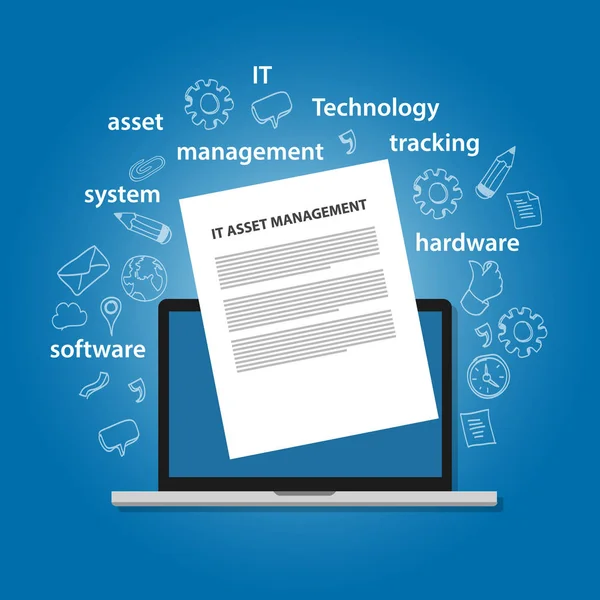
IT Asset Management Software is a program that manages and monitors the IT assets found in a network. This software is central to IT Asset Management (ITAM) by providing a single platform for organizations to track, control, and optimize their IT assets. The software is designed to maintain a detailed inventory of all assets, keep track of asset locations and statuses, ensure software asset management compliance by tracking software licenses and usage, identify cost-saving opportunities, detect and reduce security risks, adhere to regulatory requirements, manage vendor relationships and contracts, and plan for asset maintenance and retirement. ITAM software helps organizations manage their IT assets and maximize their value while reducing waste, minimizing risks, and staying compliant.
A single source of truth for asset data matters because without one, organizations may define asset records in multiple places, making decisions based on incomplete or outdated information. A good ITAM tool gives the team the knowledge and context needed to understand the current state of all physical and cloud-based assets at any given stage of their lifecycle. Organizations that follow ITIL and ITSM practices will find that ITAM software works well within existing service management frameworks, linking asset data to the service desk and configuration management processes to create a more organized and efficient operation.
The key features of IT Asset Management Software are listed below:
Asset tracking in IT Asset Management Software helps organizations keep a detailed record of all their assets, including hardware and software components. This feature allows teams to monitor the location, current status, and usage of each asset, including computers, laptops, servers, and printers, at a single level of visibility across the entire network. It also helps in identifying underutilized assets, facilitating timely maintenance or upgrades, and ensuring compliance with regulatory requirements. Asset tracking streamlines inventory management processes, reduces unnecessary costs tied to misplaced assets, and reduces risk by providing real-time visibility into the organization’s asset landscape. New assets acquired by the company are identified and tracked in one place from the point of acquisition, reducing human error and the waste that comes from manual record-keeping.
Software License Management in IT Asset Management Software helps organizations manage and track software licenses across their IT infrastructure. This feature is a key part of software asset management, ensuring compliance with licensing agreements, avoiding penalties due to non-compliance, and optimizing software usage. A software license that is not tracked in a centralized system can result in over-licensing or under-licensing, both of which have a direct financial impact on budgets.
Hardware Warranty Management in IT Asset Management Software allows businesses to track and manage warranties linked to their hardware assets, including computers, servers, and laptops. This feature ensures that hardware assets are covered under warranty and that the team is ready for timely repairs or replacements when needed. Hardware Warranty Management gives visibility into warranty expiration dates, allowing proactive maintenance planning and budgeting for future hardware upgrades or replacements. Asset repair requests can be linked directly to warranty records, making it easier for the service desk to check out coverage details before taking any action.
Real-time Asset Reporting in IT Asset Management Software allows organizations to generate up-to-date reports on their asset inventory, usage, and status. This feature gives real-time insights into the organization’s asset landscape, supporting informed decision-making and financial planning. Real-time Asset Reporting helps in finding trends, monitoring asset performance, and evaluating compliance with asset management policies according to ITIL and ITSM standards. The ability to report on software asset usage, cloud-based services, and physical hardware from a single dashboard means a single person can get a full picture of the IT environment without needing to pull data from multiple systems.
Maintenance Management in IT Asset Management Software helps organizations schedule, track, and manage maintenance activities for their assets. This feature ensures that assets are properly maintained, reducing the risk of unexpected failures and downtime. Maintenance Management allows organizations to create maintenance schedules, track maintenance history, and prioritize maintenance tasks based on asset criticality. This feature also supports compliance with maintenance regulations and standards. Patches and updates can be tracked within the same tool, ensuring that servers, laptops, and databases remain current and that assets have the configuration needed to stay secure.
Periodic Asset Scans in IT Asset Management Software help organizations maintain accurate and up-to-date information about their assets through regular scanning processes. These scans include Post-install, Scheduled, Scheduled-user, Notify, Notify-user, On-demand, Tray-icon, and FS-server scans. Post-install scans gather essential details immediately after the installation of the agent on a machine, ensuring all necessary information is captured from the start. Scheduled scans run at specific intervals, providing automated updates on asset status and usage. Scheduled-user scans are designed for less privileged employees by triggering scans based on pre-defined schedules. Notify scans respond to software installation or uninstallation events, prompting system scans to reflect changes in software configurations. Notify-user scans focus on user-specific software changes. On-demand scans allow administrators to manually initiate scans for specific system checks or troubleshooting needs. Tray-icon scans give employees a way to trigger scans from the system tray. FS-server scans ensure that all necessary data is sent to the server, maintaining detailed asset records. Periodic Asset Scans improve asset tracking, inventory management, and compliance, and reduce risk by providing real-time insights that support proactive maintenance and optimize asset utilization across the organization’s network.
A user-friendly interface in IT Asset Management Software ensures that employees can easily navigate and interact with the system, improving user adoption and productivity. This feature simplifies the asset management process by providing intuitive layouts, clear navigation, and customizable dashboards. A user-friendly interface makes tasks such as asset tracking, inventory management, and compliance monitoring easy to perform, so employees can access and use asset data without needing dedicated training sessions. A self-service approach to asset requests means employees can submit a request through the tool without involving a single person from IT for every step.
Cross-platform Support in IT Asset Management Software allows organizations to manage assets across different operating systems and devices, ensuring full asset visibility and control. This feature supports integration with platforms including Windows, macOS, Linux, and mobile devices, making centralized asset management possible regardless of the operating environment. Hybrid environments that include both on-premises servers and cloud-based services benefit from cross-platform support, as asset data can be tracked in a single place regardless of where the asset resides. Cross-platform support improves asset tracking, software license management, and compliance monitoring by providing a unified view of assets across the organization’s network. It reduces complexity and supports growth, helping organizations manage assets as the company scales.
Real-time Inventory Alerts in IT Asset Management Software notify organizations of important events or changes in asset status, supporting proactive management and timely decision-making. This feature triggers alerts for issues such as asset additions, removals, or unauthorized changes, helping teams maintain accurate inventory records and prevent asset-related risks. Real-time inventory alerts improve asset tracking, compliance management, and risk reduction by providing immediate notifications of potential issues so the team can take the right action without delay. By supporting real-time monitoring, this feature improves asset visibility, reduces downtime, and enhances overall asset management efficiency. Alerts can also be configured to notify the service desk when assets are being used outside of defined parameters, giving the team context to investigate further.
The ability to prohibit software and block executables in IT Asset Management Software allows organizations to enforce software usage policies and prevent unauthorized software installations. This feature helps in maintaining software license compliance, reducing security risks, and improving IT governance. This feature supports cost management by preventing unnecessary software purchases and reducing legal liabilities tied to unauthorized software usage. It reduces risk by protecting against security threats and helping the organization stay compliant with regulatory requirements.
Power Management in IT Asset Management Software helps organizations optimize energy consumption and reduce operational costs by monitoring and controlling the power usage of IT assets. This feature allows organizations to set power policies, schedule automated shutdowns or hibernations, and track energy usage patterns across the IT infrastructure. Automation of power schedules means the tool can handle routine shutdowns without manual input, reducing human error and saving money on electricity bills. Power Management supports cost management by identifying energy-efficient practices and minimizing the environmental impact of IT operations.
USB Device Management in IT Asset Management Software allows organizations to monitor, control, and secure USB devices connected to their network, reducing security risks and ensuring data protection. This feature allows organizations to define USB usage policies, restrict unauthorized device access, and track USB device activity in real time. USB Device Management reduces risk by preventing data breaches, malware infections, and unauthorized data transfers through USB devices. This feature also improves asset tracking and inventory management by providing visibility into USB device usage across the organization, ensuring that all connected devices are identified and tracked in a single system.
Certificate Management in IT Asset Management Software helps organizations manage digital certificates used for secure communication, authentication, and encryption. This feature allows organizations to track certificate expiration dates, renew certificates before they lapse, and stay compliant with security protocols. Certificate Management reduces risk by preventing security vulnerabilities tied to expired or compromised certificates, protecting data and maintaining secure communication channels. This feature also supports compliance management by ensuring adherence to industry regulations and standards related to certificate usage, which is a key part of enterprise asset management for any company operating cloud-based services or managing databases.
Geofencing in IT Asset Management Software allows organizations to define virtual boundaries and set location-based restrictions for their assets. This feature helps in tracking asset movement, ensuring assets remain within designated areas, and triggering alerts when assets move outside predefined boundaries. Geofencing supports asset tracking and risk management by improving security measures, preventing asset theft or loss, and enabling quick recovery in the event of unauthorized asset movement. By putting geofencing in place, organizations can improve asset visibility, streamline asset monitoring, and stay compliant with location-based regulations, reducing operational risks across the company.
File Scanning in IT Asset Management Software allows organizations to scan and analyze files on their IT infrastructure for security threats, malware, or compliance violations. This feature helps in identifying and reducing risks tied to malicious files, unauthorized software installations, or non-compliant data. File Scanning supports risk management by detecting security vulnerabilities, ensuring data integrity, and protecting against cyber threats across computers, servers, and databases in the network. This feature also supports compliance management by verifying adherence to data security policies and regulatory requirements related to file management and data protection.
Asset Check-in and Check-out in IT Asset Management Software allows organizations to track the movement and usage of assets by linking them to specific employees or departments. This feature helps in monitoring asset availability, usage patterns, and ownership, ensuring efficient asset utilization and reducing the risk of asset misplacement or loss. Employees can check out an asset through a self-service portal, with each transaction recorded automatically in the system to eliminate manual tracking and human error. Asset Check-in and Check-out support asset tracking, inventory management, and cost management by giving visibility into asset allocation, usage history, and maintenance requirements.
Software Metering in IT Asset Management Software allows organizations to monitor and control software usage across their IT infrastructure. This feature helps in tracking software usage patterns, identifying underutilized licenses, and optimizing software deployments to reduce costs. Software Metering supports cost management by helping organizations eliminate unnecessary software expenses, avoid over-licensing, and get the most value from software investments. This feature also supports compliance management by ensuring adherence to software licensing agreements and preventing non-compliance risks tied to unauthorized software usage.
Inventory Management in IT Asset Management Software allows organizations to maintain a detailed inventory of their IT assets, including hardware, software assets, and peripherals such as computers, laptops, servers, printers, and databases. This feature helps in tracking asset details, locations, and quantities, supporting efficient asset management and procurement processes. A cloud-based inventory management tool gives the team a single source of truth for all asset data, so records are always current and easy to access. Inventory Management supports asset tracking, cost management, and compliance management by providing accurate asset records, optimizing inventory levels, and ensuring regulatory compliance. This feature also supports risk management by identifying potential asset vulnerabilities and ensuring timely maintenance.
Vendor Management in IT Asset Management Software allows organizations to manage relationships with their IT vendors, suppliers, and service providers. This feature helps in tracking vendor contracts, performance metrics, and service levels, ensuring vendor accountability and compliance with contractual agreements. Vendor Management supports cost management by optimizing vendor relationships, negotiating favorable terms, and reducing procurement costs. This feature also supports compliance management by ensuring vendor compliance with regulatory requirements and industry standards, fostering strong vendor partnerships and improving overall procurement efficiency.
When choosing an IT asset management software, it is important to consider how well the solution addresses key attributes at each stage of the asset lifecycle. The first step is to evaluate Inventory Management capabilities to ensure the tool can efficiently track and manage all assets, including physical hardware and cloud-based software assets. Asset Tracking features should give real-time visibility into asset locations and statuses. Software Asset Management capabilities should ensure compliance with licensing agreements and optimize software usage. Cost Management tools should help reduce unnecessary expenses and get the most from asset investments by tracking total cost of ownership. Risk Management features should focus on finding and reducing potential security risks. Compliance Management should ensure adherence to industry regulations and standards according to ITIL and ITSM frameworks. Vendor Management components should streamline vendor relationships and procurement processes. Lifecycle Management should support asset maintenance, upgrades, and disposal in a structured way. Organizations that want to learn more about a tool before committing should check out free trials or demos to understand how the software works in the context of their existing service management environment and service desk setup.
The main IT Asset Management best practices are: building your asset inventory using multiple discovery sources to ensure comprehensive coverage, tracking the complete lifecycle of assets from acquisition to disposal, managing software and licenses in one centralized location for efficient monitoring, integrating compliance and governance with ITAM to ensure adherence to regulations, keeping track of ITAM metrics that are needed for making decisions, conducting regular IT asset audits to maintain accuracy and security, and continuously improving ITAM processes to optimize asset usage and reduce risks. Following these practices improves asset visibility, compliance, cost management, and risk reduction across the company. Organizations that automate routine steps in the ITAM process, such as asset discovery, patch tracking, and configuration management, can reduce human error, save time, and free the team to focus on higher-level work. Digital asset management and enterprise asset management approaches can be integrated into the same ITAM framework, giving a single source of truth across all asset types ranging from documents and software systems to physical computers and servers.
IT Asset Management (ITAM) is a practice that encompasses the management of IT assets throughout their lifecycle, from identification and procurement to deployment, tracking, maintenance, upgrades, and disposal. It involves the systematic tracking, monitoring, and optimization of IT assets to ensure their efficient use and accountability. ITAM works well within ITSM and ITIL frameworks, linking asset data to service desk workflows and configuration management databases (CMDB) to create a more organized approach to service management. When integrated with IT Asset Planning, ITAM supports making decisions by aligning IT asset strategies with business objectives, facilitating accurate cataloging for tracking in asset identification, supporting asset acquisition in procurement, and guiding maintenance, upgrades, and disposal strategies. ITAM connects with activities such as cost calculation, audit and compliance, optimization, and risk management, ensuring comprehensive governance and efficiency in asset management. A company that wants to grow its ITAM practice should learn more about how software asset management, digital asset management, and configuration management can each be linked within a single tool to build a more complete picture of the IT environment.
An IT Asset Management Solution addresses key attributes needed for effective IT asset management at every stage of the asset lifecycle. Asset Tracking features allow teams to track asset movements and locations, while Software Asset Management functionalities help in verifying license compliance and understanding how software is being used across the network. Cost Management tools help identify unused or underutilized assets, reducing waste and contributing to cost optimization within budget. Risk Management features help in finding security vulnerabilities and improving overall security posture. Compliance Management ensures adherence to regulations, reducing compliance risks. Vendor Management supports accurate asset information exchange with vendors. Lifecycle Management features allow organizations to plan for asset maintenance and retirement, ensuring assets are tracked in one place from acquisition through disposal. An IT Asset Management Solution helps organizations streamline asset management processes, improve efficiency, reduce risk, and maximize the value of their IT investments. A cloud-based, enterprise asset management solution gives the team the context and knowledge needed to make sound financial decisions and achieve the company’s technology goals.
The main benefits of IT Asset Management Tools are improved asset visibility, better compliance, and cost optimization. These tools give organizations a single view of their IT assets, supporting better tracking, monitoring, and management of everything from physical hardware to software assets and cloud-based services. By ensuring compliance with licensing agreements and regulatory requirements, IT Asset Management Tools help reduce compliance risks. Through identifying underutilized assets, eliminating waste, and tracking total cost of ownership, these tools contribute to efficient resource allocation and cost savings within budget. IT Asset Management Tools improve operational efficiency, reduce risk, and maximize the value of IT investments for any company. The use of automation within these tools means manual steps can be reduced, human error is minimized, and the team can stay focused on work that requires their knowledge and judgment rather than routine data entry.
Jira is regarded as a leading asset management software solution. Its approach to asset management is built around customizable tracking and management capabilities, streamlined workflows, and collaborative project tools. Jira works well as part of an existing ITSM and service desk setup, making it easy to link asset data to service requests and configuration management processes in one place. Its integration options, reporting capabilities, and user-friendly interface make it a strong choice for enterprise asset management, giving organizations an efficient and detailed way to track and manage assets across the company.